
MTN MOBILE MONEY LIMITS & SPECIFICATIONS
| FEATURE | MTN MOMO DETAILS |
|---|---|
| Minimum Deposit | 5 ZMW |
| Maximum Deposit | 20,000 ZMW per transaction (up to 100,000 ZMW daily) |
| Minimum Withdrawal | 10 ZMW |
| Maximum Withdrawal | 20,000 ZMW per transaction |
| Processing Time | Instant (1–15 minutes) |
| DBbet Merchant Fee | 0% FREE |
| USSD Quick Codes | *115# (National) • *303# (MTN Zambia) |
| Supported Prefixes | 096, 076 (+260 96 / +260 76 Zambian MTN SIMs) |
HOW TO DEPOSIT VIA MTN MOMO (STEP-BY-STEP)
Follow this 4-step chessboard tutorial to fund your betting balance directly from your MTN Zambia SIM card:
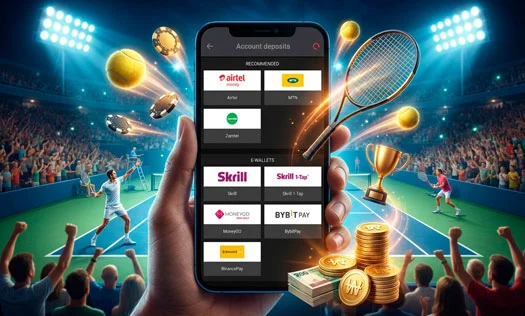
SELECT MTN IN THE DBBET CASHIER
Log in to your DBbet account and tap the green "Deposit" or "Payments" button at the top header. From the payment options list, click on MTN Mobile Money.
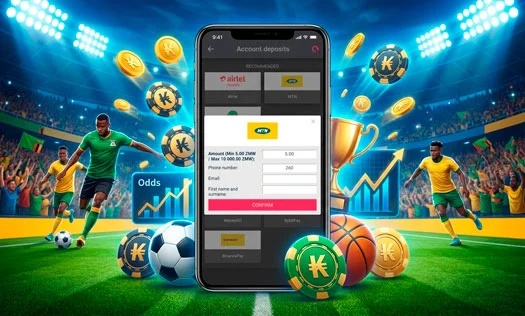
ENTER AMOUNT & MTN PHONE NUMBER
Type your intended deposit amount (minimum 5 ZMW). Input your active 10-digit Zambian MTN phone number (e.g., 096XXXXXXX or 076XXXXXXX). Double-check the figures and tap Confirm.
APPROVE THE USSD PROMPT WITH YOUR PIN
A flash authorization prompt from MTN Mobile Money will appear on your smartphone screen. Verify the transaction amount and enter your secret MoMo PIN to approve the payment.
256-BIT ENCRYPTED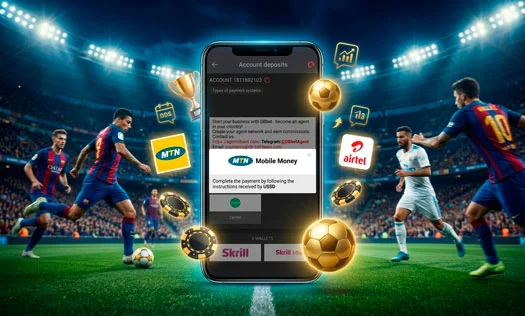
RECEIVE SMS & START BETTING
You will instantly receive an official confirmation SMS from MTN with your transaction reference. Return to DBbet; your account balance will reflect the new Kwacha balance immediately.
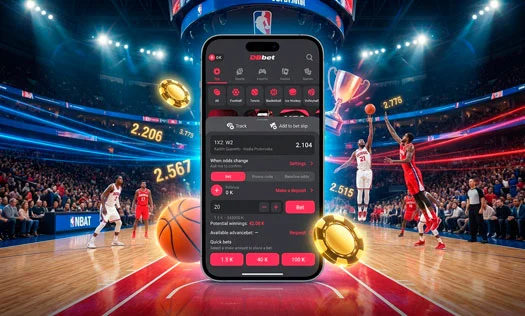
MANUAL USSD PAYMENT INSTRUCTION (*115# OR *303#)
If the automatic on-screen push prompt fails to arrive on your handset due to carrier network congestion, you can authorize the transfer manually:
MANUAL APPROVAL WORKFLOW:
- Dial *115# (or *303#) on your MTN Zambia SIM card.
- Select My Account / Approvals (or Pending Approvals).
- Select the pending DBbet transaction request.
- Enter your secret 4-digit Mobile Money PIN to confirm.
- Your DBbet balance will update within 60 seconds.
HOW TO WITHDRAW KWACHA VIA MTN MOBILE MONEY
Cashing out your winnings to your MTN SIM is quick and direct:
1. OPEN WITHDRAW SECTION
Go to your DBbet account profile and select "Withdraw Funds" from the cashier menu.
2. SELECT MTN & AMOUNT
Click on MTN Mobile Money, enter your withdrawal amount in ZMW (min 10 ZMW), and confirm your 096 or 076 number.
3. INSTANT WALLET CASHOUT
Confirm the request. DBbet's automated payout system transfers the funds to your MTN MoMo balance in 1 to 15 minutes.
FREQUENTLY ASKED QUESTIONS: MTN MOMO
WHAT IS THE MINIMUM AND MAXIMUM DEPOSIT VIA MTN MOBILE MONEY?
The minimum deposit on DBbet via MTN Mobile Money is 5 ZMW, and the maximum single transaction limit is 20,000 ZMW, subject to your MTN wallet tier limits.
DOES DBBET CHARGE AN EXTRA MERCHANT FEE ON MTN MOMO TRANSACTIONS?
No. DBbet offers 100% free deposits and withdrawals on MTN Mobile Money. Zero merchant deductions are made.
WHY DID I NOT RECEIVE THE USSD AUTHORIZATION PROMPT ON MY PHONE?
If the USSD prompt does not show up within 30 seconds, ensure your MTN SIM has an active signal or dial *115# (or *303#) manually, select 'Pending Approvals', and confirm the payment using your PIN.
HOW FAST DOES AN MTN MOMO CASHOUT ARRIVE IN MY WALLET?
Withdrawals to MTN Mobile Money are handled automatically by the DBbet system and generally arrive within 1 to 15 minutes.
CAN I USE AN MTN NUMBER REGISTERED IN SOMEONE ELSE'S NAME?
No. The MTN Mobile Money account must belong to the registered account owner on DBbet to pass anti-fraud checks and avoid withdrawal freezes.